Build a lesson once. Teach it again and again.
Drop in text, media and interactive exercises, save it to your library, and reuse it with every student who needs it.
No card required • Ready in minutes
The Building Blocks
Everything you need to explain an idea, on every plan.
Text
Rich text and explanations, formatted the way you would write them on a handout.
Image
Upload your own or pull a photo straight from the built-in image search.
Video
Embed a lesson video and let students watch it in place.
Audio
Audio with an optional transcript — useful for listening work.
Files
Attach PDFs, documents and presentations to the lesson.
Dictionary
Key-value vocabulary pairs that feed the student's practice list.
Note
A highlighted tutor note for reminders and instructions.
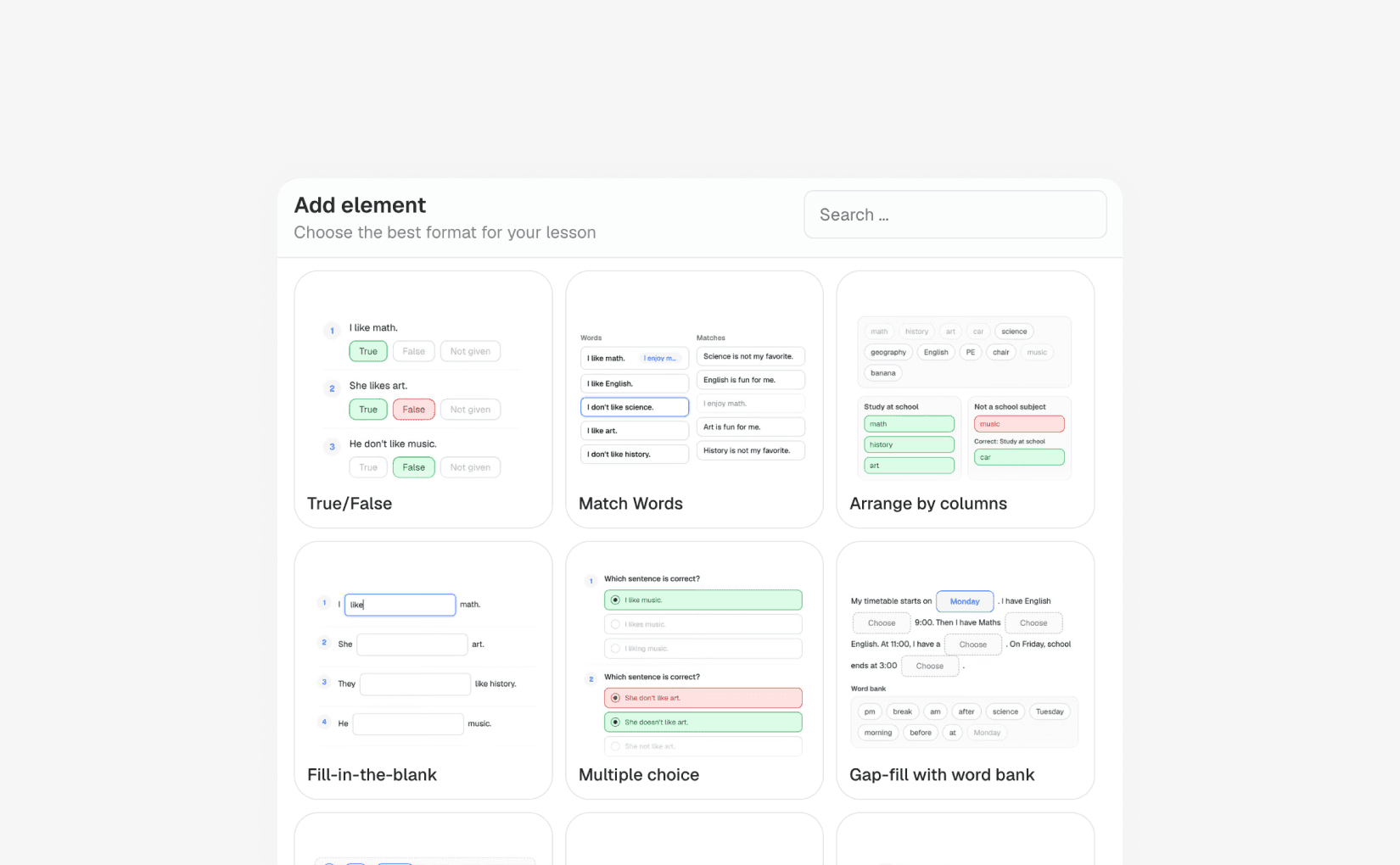
Nineteen Ways To Make Students Answer
Self-checking exercises on the Pro and School plans — students get feedback as they work.
Multiple choice
Questions with one correct answer, checked instantly.
Fill in the blank
Students type the missing words in each sentence.
Cloze with dropdowns
Choose the correct option for each gap in a text.
Gap-fill with word bank
Place words from a bank into the gaps.
Match words
Connect words or phrases across two columns.
Match words to images
Place each word under the picture it belongs to.
Arrange by columns
Sort items into named categories.
Word ordering
Build sentences by putting the words in the right order.
True / false / not stated
Classic reading comprehension, marked automatically.
Numeric answer
Numeric questions with an optional tolerance for rounding.
Unscramble
Reorder shuffled letters to spell each word.
Record audio
Students record their voice for you to review afterwards.
Open question
A free-form response you read and comment on.
Flashcards
Front-and-back card pairs for memorisation.
Put text in order
Arrange sentences or paragraphs into the right sequence.
Stop Rebuilding The Same Lesson
Materials live in a library you can search, duplicate and share.
Reusable materials
Save any lesson as a material and attach it to as many lessons as you like.
Sections
Split a material into lesson and homework sections so one file covers the whole cycle.
Shared library
On the School plan, publish a material so every tutor in your space can teach it.
Embed anything
Bring in Miro, Wordwall, Quizlet or Genially when you already have something that works.
Choose The Plan That Fits Your Teaching
Start 14-days for free • Upgrade when you need more
Lite
For independent tutors
What's included
- Unlimited live lessons
- Unlimited students
- Unlimited materials
- Unlimited whiteboards
- Basic elements (text, image, video etc.)
- Video calls
Most popular
Pro
For professional tutors
What's included
- Everything in Lite
- Cleo AI
- Interactive exercises with self-check
- Homeworks with auto-grading
- Learning games and practice
- Online bookings
School
1 admin + 3 tutors included ($15/month per extra seat)
What's included
- Everything in Pro
- Multiple teachers
- Shared library
- Accept payments
- Custom logo & colors
- Custom domain
Everything You Need To Know Before Teaching
Here are answers to the most common things people ask before getting started.
No. Classario is designed for live teaching and ongoing student interaction.
Ready to teach smarter?
Create your first AI-generated lesson and run it live — free for 14 days.
No card required • Ready in minutes